





Refillable Fill In, QuickFill printer cartridges for HP 940 with permanent chip
 Manufacturer info


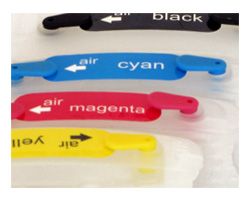
15.95€ *
Content:
4 Stück
Prices incl. VAT plus shipping costs
In stock, delivery time approx. 1-2 days**
- Order number: RCHP940
- EAN 4250797209674
Simply ingenious. Remove the plug, add ink, replace the plug, and continue printing. And as often... more
Simply ingenious. Remove the plug, add ink, replace the plug, and continue printing. And as often as you like.
Scope of delivery:
Black refill cartridge for HP 940 PGBK (empty, without ink)
Cyan refill cartridge for HP 940 CP (empty, without ink)
Magenta refill cartridge for HP 940 MP (empty, without ink)
Yellow refill cartridge for HP 940 YP (empty, without ink)
These refill cartridges are designed for the following printer series:
HP Officejet PRO 8000, Officejet PRO 8000 Enterprise, Officejet PRO 8000 Wireless, Officejet PRO 8500, Officejet PRO 8500 A, Officejet PRO 8500 A Plus, Officejet PRO 8500 A Premium, Officejet PRO 8500 Premier, Officejet PRO 8500 Series, Officejet PRO 8500 Wireless.
All currently supported models can be found under the "Compatibility" tab.
Note on Ink Status:
During the first print cycle, an ink level indicator will be displayed on your printer. If the printer reports "almost empty," the page count on the chip is nearly depleted. This occurs regardless of the actual ink level in the cartridge. No action is required at this point. If the printer reports "empty," the page count is zero. The cartridges have a permanent chip that allows you to continue printing even after the first print cycle. To do this, you must deactivate the ink level indicator on your printer. Follow the instructions in your printer's manual. Once you have refilled the ink, you can continue printing as normal. To check the ink level, you must remove the cartridge from the printer. All cartridges have a transparent body, allowing you to easily see how much ink remains.
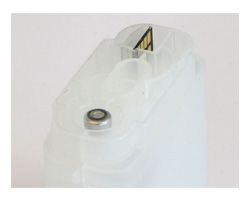
Fill-in cartridges for HP 940 - Easier to fill than original cartridges! These HP 940 cartridges are filled through the top fill hole. Simply remove the colored plug and fill with ink up to the top. Then, replace the plug.
During printing, the second, upper plug (labeled "air") must be removed. This allows air to enter the cartridge as ink is used, preventing a vacuum from forming that could impede ink flow to the printhead.
Check the ink level of the cartridges regularly between print jobs. The transparent body of the fill-in cartridges allows you to easily check the ink level at any time.
It is recommended to fill the cartridges slightly more than the original manufacturer's recommended fill levels. This protects your printhead from damage caused by "dry" printing.
Please ensure that you use compatible inks in these refillable cartridges for HP 940, C4906A, C4907A, C4908A, and C4909A! Using incompatible inks, such as universal inks or inks for other cartridge types, will impair your printer's functionality and may even damage the printhead.
This product is not an HP product. All manufacturer and brand names are used solely to indicate compatibility and are the property of their respective owners.
Scope of delivery:
Black refill cartridge for HP 940 PGBK (empty, without ink)
Cyan refill cartridge for HP 940 CP (empty, without ink)
Magenta refill cartridge for HP 940 MP (empty, without ink)
Yellow refill cartridge for HP 940 YP (empty, without ink)
These refill cartridges are designed for the following printer series:
HP Officejet PRO 8000, Officejet PRO 8000 Enterprise, Officejet PRO 8000 Wireless, Officejet PRO 8500, Officejet PRO 8500 A, Officejet PRO 8500 A Plus, Officejet PRO 8500 A Premium, Officejet PRO 8500 Premier, Officejet PRO 8500 Series, Officejet PRO 8500 Wireless.
All currently supported models can be found under the "Compatibility" tab.
Note on Ink Status:
During the first print cycle, an ink level indicator will be displayed on your printer. If the printer reports "almost empty," the page count on the chip is nearly depleted. This occurs regardless of the actual ink level in the cartridge. No action is required at this point. If the printer reports "empty," the page count is zero. The cartridges have a permanent chip that allows you to continue printing even after the first print cycle. To do this, you must deactivate the ink level indicator on your printer. Follow the instructions in your printer's manual. Once you have refilled the ink, you can continue printing as normal. To check the ink level, you must remove the cartridge from the printer. All cartridges have a transparent body, allowing you to easily see how much ink remains.
Fill-in cartridges for HP 940 - Easier to fill than original cartridges! These HP 940 cartridges are filled through the top fill hole. Simply remove the colored plug and fill with ink up to the top. Then, replace the plug.
During printing, the second, upper plug (labeled "air") must be removed. This allows air to enter the cartridge as ink is used, preventing a vacuum from forming that could impede ink flow to the printhead.
Check the ink level of the cartridges regularly between print jobs. The transparent body of the fill-in cartridges allows you to easily check the ink level at any time.
It is recommended to fill the cartridges slightly more than the original manufacturer's recommended fill levels. This protects your printhead from damage caused by "dry" printing.
Please ensure that you use compatible inks in these refillable cartridges for HP 940, C4906A, C4907A, C4908A, and C4909A! Using incompatible inks, such as universal inks or inks for other cartridge types, will impair your printer's functionality and may even damage the printhead.
This product is not an HP product. All manufacturer and brand names are used solely to indicate compatibility and are the property of their respective owners.
Read, write and discuss reviews... more
Customer evaluation for "Refillable Fill In, QuickFill printer cartridges for HP 940 with permanent chip"
From:
Nutzer-55224
On:
4 Jan 2024
Bewertung ohne Text...
Bewertung ohne Text (Quelle: SHOPVOTE)
From:
Troebinger Martin
On:
4 Nov 2016
Finde die Fill In Patronen Super
Kann die Fill In Patronen nur weiter empfehlen genau so wie die anderen Fill In Patronen für andere Drucker.
Write an evaluation
Evaluations will be activated after verification.


 Refill ink compatible for HP 932, 940, 950 pigmented black
Content:
0.25 Liter
(60.88€
/ 1 Liter)
15.22€
*
 Refill ink compatible for HP 933, 940, 951 pigmented cyan
Content:
0.25 Liter
(90.20€
/ 1 Liter)
22.55€
*
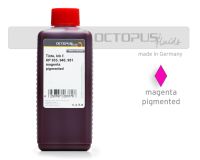 Refill ink compatible for HP 933, 940, 951 pigmented magenta
Content:
0.25 Liter
(90.20€
/ 1 Liter)
22.55€
*
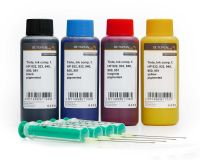 Refill ink kit compatible for HP 932, 933, 940, 950, 951, four colours
Content:
0.4 Liter
(109.88€
/ 1 Liter)
43.95€
*
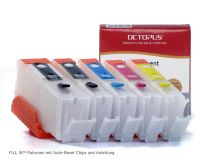
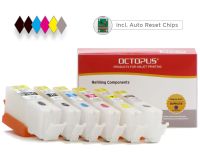 Refillable cartridges for Canon PGI-570, CLI-571 with autoreset chips incl. grey
Content:
1 Stück
51.96€
*


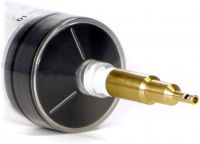 QU-Fill™ PROFI for HP® 932, 950, 953, 970, 980 and Primera spring valve cartridges, brass
Content:
1 Stück
17.55€
*


Viewed