




Fill In Cartridges for Canon PGI-530, CLI-531 with permanent chip
 Manufacturer info


Prices incl. VAT plus shipping costs
In stock, delivery time approx. 1-2 days**
- Order number: RCCATS8750
- EAN 4251496634583
Simply brilliant. Take out the plug, put ink, put the plug on, carry on printing. And as often as you want.
Scope of delivery:
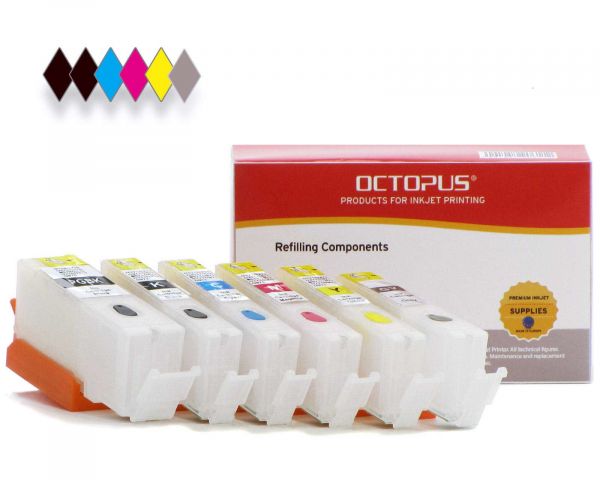
Fill-in cartridge black for PGI-530 PGBK (empty, without ink)
Fill-in cartridge black for CLI-531 BK (empty, without ink)
Fill-in cartridge cyan for CLI-531 C (empty, without ink)
Fill-in cartridge magenta for CLI-531 M (empty, without ink)
Fill-in cartridge yellow for CLI-531 Y (empty, without ink)
Fill-in cartridge grey for CLI-531 GY (empty, without ink)
These fill-in printer cartridges were developed for the following printer series:
Canon Pixma TS 8700 Series, TS 8750 Series.
All currently supported models can be found in the "Compatibility" tab.
Note on ink status:
During the first print cycle, an ink level is displayed on your printer. If the printer reports "almost empty", the number of pages on the chip is almost counted down. This happens regardless of the actual ink level in the cartridge. Nothing needs to be done at this point. If the printer reports "empty", the number of pages is zero. The cartridges have a permanent chip that ensures that you can continue printing after the first print cycle. To do this, you must deactivate the ink level on your printer. To do this, follow the instructions in your printer's manual. Once you have refilled the ink, you can then carry on printing as normal. To check the level, you must remove the cartridge from the printer. All cartridges have a transparent cartridge body and make it very easy to see how much ink is still physically present.
Fill in cartridges for Canon PGI-530 and Canon CLI-531 - Easiest to fill than the original cartridges! These cartridges are filled through the top filling hole. To do this, simply remove the colored plug and fill in the ink. Then close the filling hole with the plug you removed earlier.
Recommended filling quantities:
PGI-530 cartridge: 20 ml - 25 ml
CLI-531 cartridge: 12 ml - 14 ml
Before printing, the upper yellow strip (labeled "Pull") must be removed. This allows air to enter the cartridge for used ink and no negative pressure is created that would hinder the flow of ink to the print head.
Please make sure that you only use suitable inks in these fill-in cartridges for Canon PGI-530 and Canon CLI-531! Universal inks or inks for other cartridge types affect the functionality of your printer and may damage the print head.
This product for Canon PGI-530 and Canon CLI-531 is not an OEM product from the printer manufacturer Canon®. All manufacturers and brand names are used only to indicate compatibility and are the property of their respective owners.
| Printing technology: | Inkjet |
| Technology: | Inkjet printer |
| Brand compatibility: | For Canon |
| Product type: | Compatible |
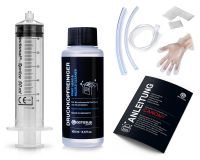 Print Head Cleaner set for Canon Pixma, Nozzle Cleaner with extension hoses
 4x Refill syringe 20 ml with blunt cannula, 2x nitrile gloves and 8x cellulose swabs
 Refill ink compatible for Canon PGI-530 PGBK black pigmented


 Refill ink compatible for Canon PGI-530 PGBK black pigmented
4x Refill syringe 20 ml with blunt cannula, 2x nitrile gloves and 8x cellulose swabs
Refill ink compatible for Canon PGI-530 PGBK black pigmented
4x Refill syringe 20 ml with blunt cannula, 2x nitrile gloves and 8x cellulose swabs