





CartClip Activator HP 22, 28, 57, 58
 Manufacturer info
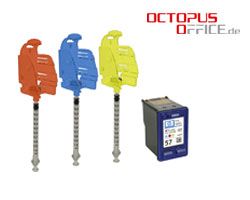
- Order number: ACTIHP57
- EAN 4250797213923
The following applications are possible:
- Removal of micro bubbles out of the nozzle antechamber.
- Filling of the nozzle antechamber with absolutely pure ink (without micro air bubbles)
The nozzle antechamber
There is an area between the filter and the nozzles called the nozzle antechamber. It has to be filled up with absolutely pure ink to guarantee a perfect function. Inside the chamber an ink transfer is going on from the sponge to the nozzles heating parts.
What happens if there are some micro air bubbles inside of the nozzle antechamber?
There is one obvious sign which indicates to you that there are bubbles inside the chamber. You may recognize some thin, white lines on the printout or even the complete failure of a color. The reason is that small, tiny bubbles prevent the ink flow.
How to prime a filled cartridge
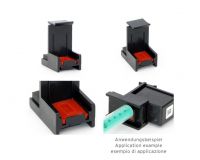
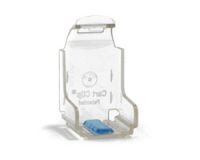
1. Insert the cartridge into the CartClip Activator Clip.
Attention: All of the following steps below have to be performed with the needle in a vertical position
2. By pushing and pulling the plunger of the needle you will check its functionality.
3. Now you must fill the ink until you reach the 1.2- ml mark and connect the needle with the clip. Please make sure that the upper side of the nozzle plate is visible.
4. Hold the Activator in a vertical position and push the plunger out to the 2.0-ml mark. This should generate a bubble in the needle´s top. If the bubble is not making its way up to the top push the plunger further back to the 2.1-ml mark and hold it again. This process will remove the last remaining micro bubbles.
5. Now you have to put the ink back into the antechamber in a very slow way till you reach the 0.2-ml-mark. Then wait a couple of seconds and pull the plunger back to the 0.3-ml-mark to equalize the different pressure levels between the needle top and the cartridge.
6. Now you just turn the CartClip-Activator this way the nozzle plate of the cartridge is visible. Please do carefully remove the needle from the clip and after that take the cartridge out of the clip.
7. After you finished priming you wipe the cartridge with a damp cloth. The color is supposed to be good visible.
8. The cartridge is now ready for a printing test.
Attention: If you feel any resistance while filling the antechamber you have to stop the filling process immediately! Very likely the filter or the nozzles are plugged because of dried out ink. Content:
1x transparent Clip
1x Needle 2,5ml


 iJET WET print head freshness retention, preservation solution

 Refill ink compatible for HP 300, 350, 364, 901, 920 pigmented black
 OCP ink Canon PG-510, 512, 540, 545, PGI-520, 525, 570 black pigm.
 Refill ink compatible for HP 302, HP 304 pigmented black
 Adhesive all-round labels for HP color cartridges, waterproof (100 labels)
 Protection Caps Canon PG-40, 50, 510, 512, CL-41, 51, 52, 511, 513
 Refill ink compatible for HP 19, HP 21, HP 27, HP 56 pigmented black
 Ink for Canon PGI-525, 550, 555, 570, PG-540, 545, 510, 512 pigm. black


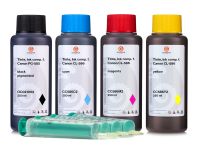

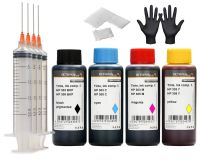 Refill ink set compatible for HP 303 and HP 305 Ink Cartridges, DeskJet, DeskJet Plus,...
 Refill ink for Canon PG-560 ink cartridges, Canon Pixma TS 5300, 7400 black
 3x 250 ml Wide neck bottle with screw cap, chemical bottle, laboratory bottle HDPE,...
 10x 100 ml Wide neck bottle with screw cap, chemical bottle, laboratory bottle HDPE,...
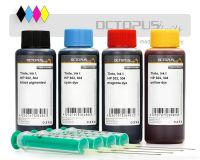 Refill ink kit compatible for HP 302, HP 304 four colours
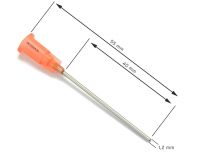 Blunt cannulas for refilling cartridges and mixing liquids, 1.2 x 40 mm, inner diameter...
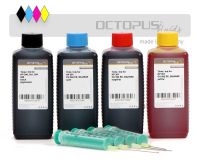 Refill ink kit compatible for HP 301 cartridges with four colours
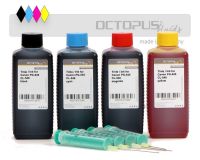 Ink set for Canon PG-545, CL-546 cartridges, every colour
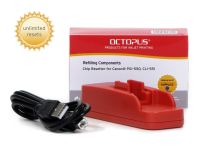
 Adhesive all-round labels for black HP cartridges, waterproof
 Refill ink compatible for HP 15, 45, 20, 29, Lexmark 50, 70, 75, Addmaster 97091, Canon...
 Cleaner RSL Rinse Solution for the Inside of Printer Cartridges
 Refill ink compatible for HP 300, HP 301, HP 364, HP 920 pigmented black


 ink refill kit for HP 14, HP 17, HP 23, HP 78 color