





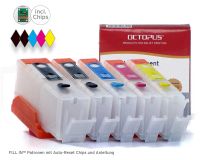
Refillable Cartridges (kit) T0711, T0714 (non-OEM) for Epson
 Manufacturer info


- Order number: ARCEP01
- EAN 4250797209315
These refillable ink cartridges are no original products and they arenot produced by the printer manufacturer. These cartridges can replace Epson T0711, T0712, T0713, T0714 cartridges.
These refillable ink cartridges have twice the amount of OEM cartridges and each has an auto reset chip. For using this cartridges you have to replace all of the OEM cartridges from you printer.
When putting in the cartridges please note that the cartridge cap clicks into place on top of the refillable ink cartridges.
Reset your auto reset chip by shutting down the printer. After switching it on again the chip is reset.
Refill these cartridges in this way. Remove the see-through upper plug from the filler opening and fill it up with ink to the top edge. Reinsert the earlier removed plug and the colored plug which is important for ventilation. Than you just have to replace the cartridge in your printer. Switch off your printer. After swichting it on again you can start printing. The refillable ink cartridges are now reset.
Please note that this cartridge kit does not work in printers with printing devices Epson Stylus D120. Please put the refilled cartridges in your printer in this way:
It is important to insert the refillable ink cartridges from left to right. Start with yellow, then magenta, then cyan an at the end black. At an atypical arrangement you first have to insert the colored cartridges and at the end the black one.
Refill your refillable ink cartridges early enough to avoid damage by overheated print heads. It makes sense to refill all cartridges at the same occasion, because removing just one of the cartridges from your printer has the result that the filling level indication is now at maximum level. Not only for the refilled cartridge but for all of them which is not the right indication.
This product is not produced or recommended for usage in combination with your printers by the original manufacturer of the printers. All stated trademarks like HP, Canon, Epson, Lexmark, Brother, Dell etc. are only listed for better product allocation and are property of their respective owners.
Sind mittlerweile mein 2. satz da ich 2 Identische drucker besitze
Jederzeit gerne wieder
Hat toll funktioniert
Hat toll funktioniert, sofort ohne Probleme, ich habe meine alten patronen gleich ausgesaugt und umgefüllt...
schnell und gut
Die Nachfüll-Patronen wurden rasch geliefert. Sie funktionieren einwandfrei.
solche Patronen habe ich schon lange gesucht, aber was lange dauert wird oft gut !
Schnelle Lieferung, wie bestellt, funktioniert bei meinem Drucker Epson DX8400 einwandfrei.
jederzeit wieder

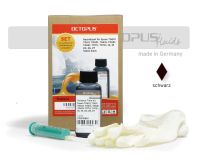 Ink Refill Kit (non-OEM) T0611, T0711, 16, 18, 26, 27 pigmentiert black for Epson
 Octopus Ink for Epson T0612, T0632, T0712, 16, 27 cyan pigm.
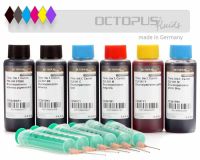
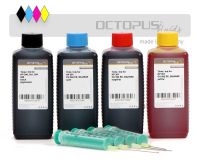
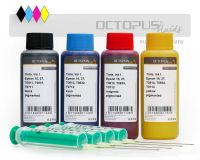 Refill ink set for Epson 16, 27, T061x, T063x, T071x cartridges, 4 colors
 Octopus Refill Ink for Epson T0611, T0711, 16, 18, 26, 27, 29 pigm. black


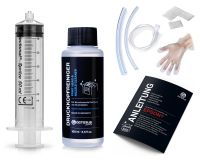 Nozzle Cleaner for Epson, Print Head Cleaner with extension


 Refill ink kit for Canon PGI-580 PGI-280, CLI-581, CLI-281 with photo blue
 Refill ink kit compatible for HP 301 cartridges with four colours
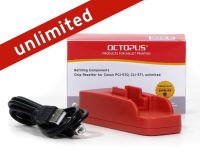 Refill ink set for Epson 16, 27, T061x, T063x, T071x cartridges, 4 colors
 Refillable ink cartridges for Epson 27 inkjet cartridges (non OEM)
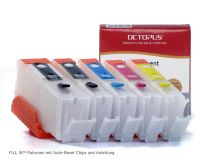
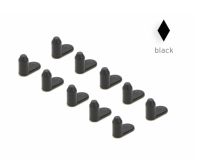 Sealing plug 10x 4 mm for Epson, Canon and HP Cartridges, black
 Ink Refill Kit (non-OEM) T0611, T0711, 16, 18, 26, 27 pigmentiert black for Epson




 Ink comp. with Brother LC-121, 123, 970, 980, 1000, 1100, 1220, 1240, BT-6000 black