




Nachfüllanleitung Brother TN-2320, TN-2310, HL-L 2300, 2320, 2340, 2360
Im Sommer 2014 brachte Brother wieder neue Drucker mit neuen Tonerkartusche auf den Markt. Die neue Tonerkartusche Brother TN-2320 und die kleinere Variante TN-2310 sind unter anderem in den Schwarzlaserdrucker HL-L 2300, HL-L 2320 sowie in diversen DCP und MFC Geräten zu finden. In dieser Anleitung zeigen wir Ihnen wie Sie Ihre Tonerkartusche befüllen und den Resethebel zurücksetzen.
Vorbereitung zum Befüllen Brother TN-2320, TN-2310, HL-L 2300:
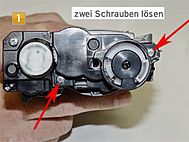
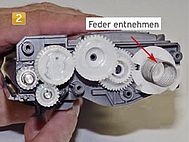
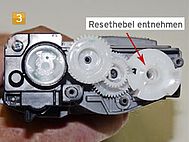
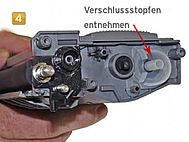
Nehmen Sie einen Kreuzschraubendreher und lösen Sie die zwei gekennzeichneten Schrauben (Abbildung 1) und nehmen Sie danach die seitliche Abdeckung herunter. Darunter befinden sich die Antriebszahnräder und der Resethebel. Um die Tonerkartusche zu befüllen, müssen Sie den Resethebel und die Feder herunternehmen und dann den Verschlussstopfen herausnehmen. Nehmen Sie die Feder herunter (Abbildung 2). Anschließend können Sie den Resethebel herunternehmen (Abbildung 3). Jetzt können Sie den farblosen Verschlussstopfen entnehmen (Abbildung 4).
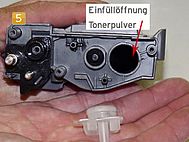
Nachdem Sie den Verschlussstopfen herausgenommen, können Sie die Einfüllöffnung erkennen (Abbildung 5).
Bevor Sie Ihre Tonerkartusche befüllen, müssen Sie den noch vorhandenen Alttoner entfernen. Schütteln Sie diesen in einen dichten Plastikbeutel aus oder saugen Sie ihn mit einem Tonerstaubsauger ab. Aufgrund des häufigen Erhitzens und wieder Abkühlens hat der Alttoner andere physische Eigenschaften als neues Tonerpulver.
Befüllen von Brother TN-2320, TN-2310, HL-L 2300:
Nehmen Sie die Flasche mit Nachfülltoner und schütteln Sie diese leicht auf. Schrauben Sie danach den Einfülltrichter darauf. Das Aufschütteln und der Trichter erleichtern Ihnen das Dosieren beim befüllen.
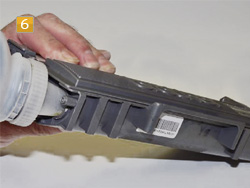
Füllen Sie jetzt vorsichtig das neue Tonerpulver in die Tonerkartusche (Abbildung 6). Nachdem Sie Ihre Tonerkartusche befüllt haben, können Sie den vorher entnommenen Verschlussstopfen wieder einsetzen.
Jetzt müssen Sie nur noch den Resethebel in die richtige Position einsetzen. Im nächsten Abschnitt zeigen wir Ihnen wie Sie dazu vorgehen müssen.
Einbau bzw. Zurücksetzen des Resethebel an Brother TN-2320, TN-2310, HL-L 2300:
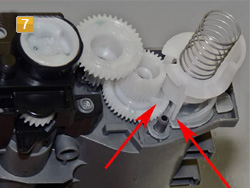
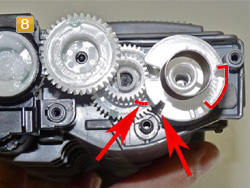
Der Verschlussstopfen, den Sie gerade eingesetzt haben, ist gleichzeitig die Halterung für dem Resethebel. Setzen Sie also den Resethebel und die dazugehörige Feder auf den Verschlussstopfen (Abbildung 7). Achten Sie darauf, dass Sie den Resethebel und das linke Zahnrad so einsetzen wie in den Abbildungen 7 und 8 gezeigt.
Das heißt, dass Sie das linke Zahnrad so einsetzen, dass der kleine Arm nach rechts und die Erhebung des Resethebels nach rechts unten zeigt, wie in Abbildung 8 gezeigt. So zeigt der Resethebel wieder „voll“. Nach dem Einbau des Resethebels können Sie die ganz am Anfang entfernte seitliche Abdeckung wieder daraufsetzen und mit den zwei Schrauben fixieren. Jetzt können Sie Ihre Tonerkartusche wieder in den Drucker einsetzen.
Sicherheitshinweis für den Umgang mit Nachfülltoner:
Nachfülltoner und Tonerpulver können bei unsachgemäßer Handhabung Gesundheitsschäden hervorrufen. Wir empfehlen beim Befüllen von Tonerkartuschen ausdrücklich den Einsatz von Atemschutzhilfsmitteln oder Absaugkammern. Darüber hinaus kann Tonerpulver und Nachfülltoner bei einem entsprechenden Sauerstoffgemisch hochentzündlich sein. Achten Sie außerdem darauf, dass Sie auf keinen Fall die Fotoleiter-Trommel berühren oder direktem Sonnenlicht aussetzen. Dies kann zu fehlerhaften Ausdrucken führen.
Octopus übernimmt keine Verantwortung für Erfolg oder Misserfolg der beschriebenen Vorgehensweise.
Alle Hersteller und Markennamen dienen nur zur Kenntlichmachung der Kompatibilität und sind Eigentum der jeweiligen Rechteinhaber.

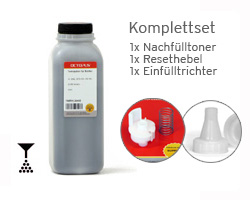 Refill kit compatible with Brother TN-2320, HL-L 2300 with toner powder, reset lever and funnel for refilling
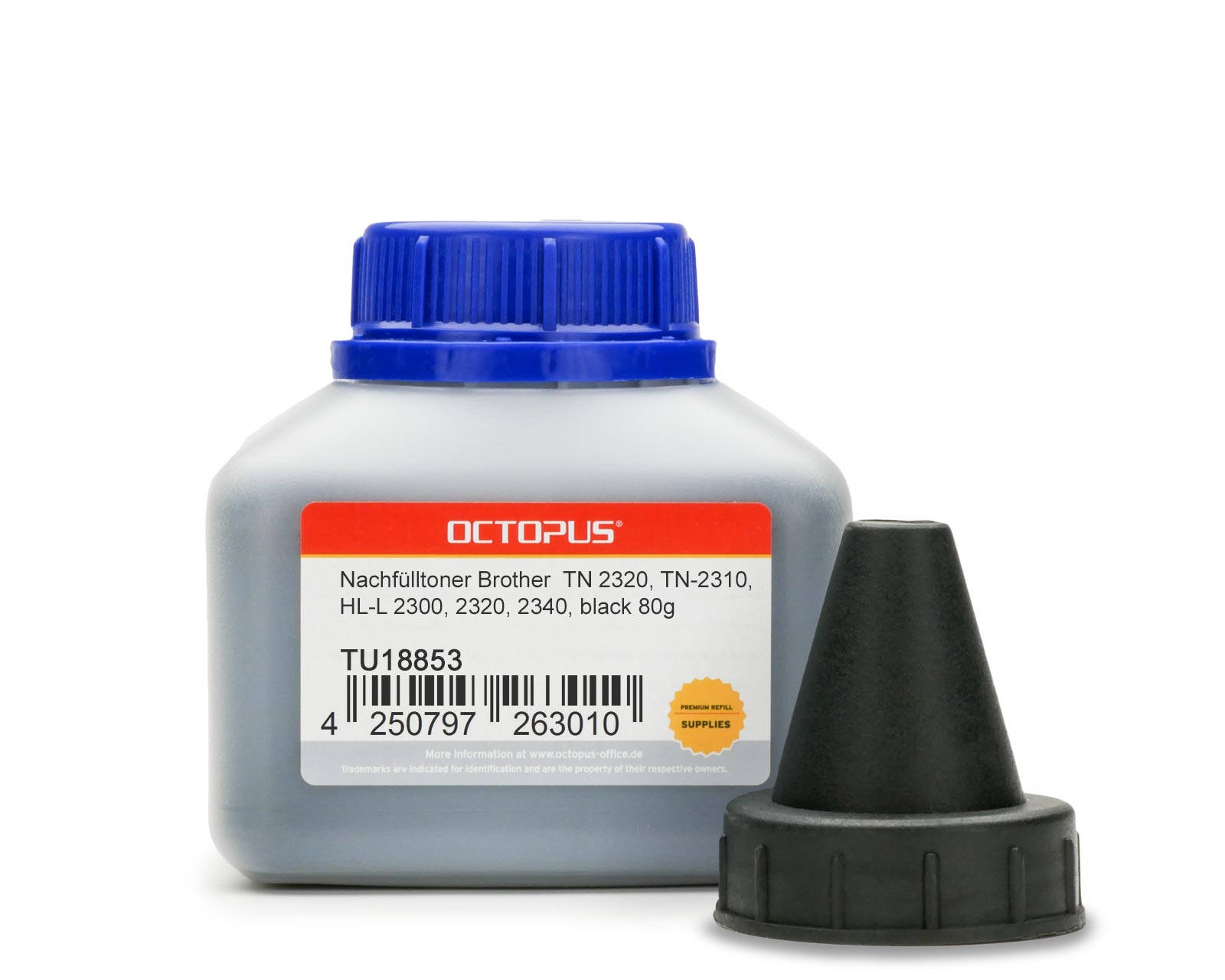 Toner powder compatible with Brother TN 2320, TN-2310, HL-L 2300, HL-L 2320, HL-L 2340 , 75g
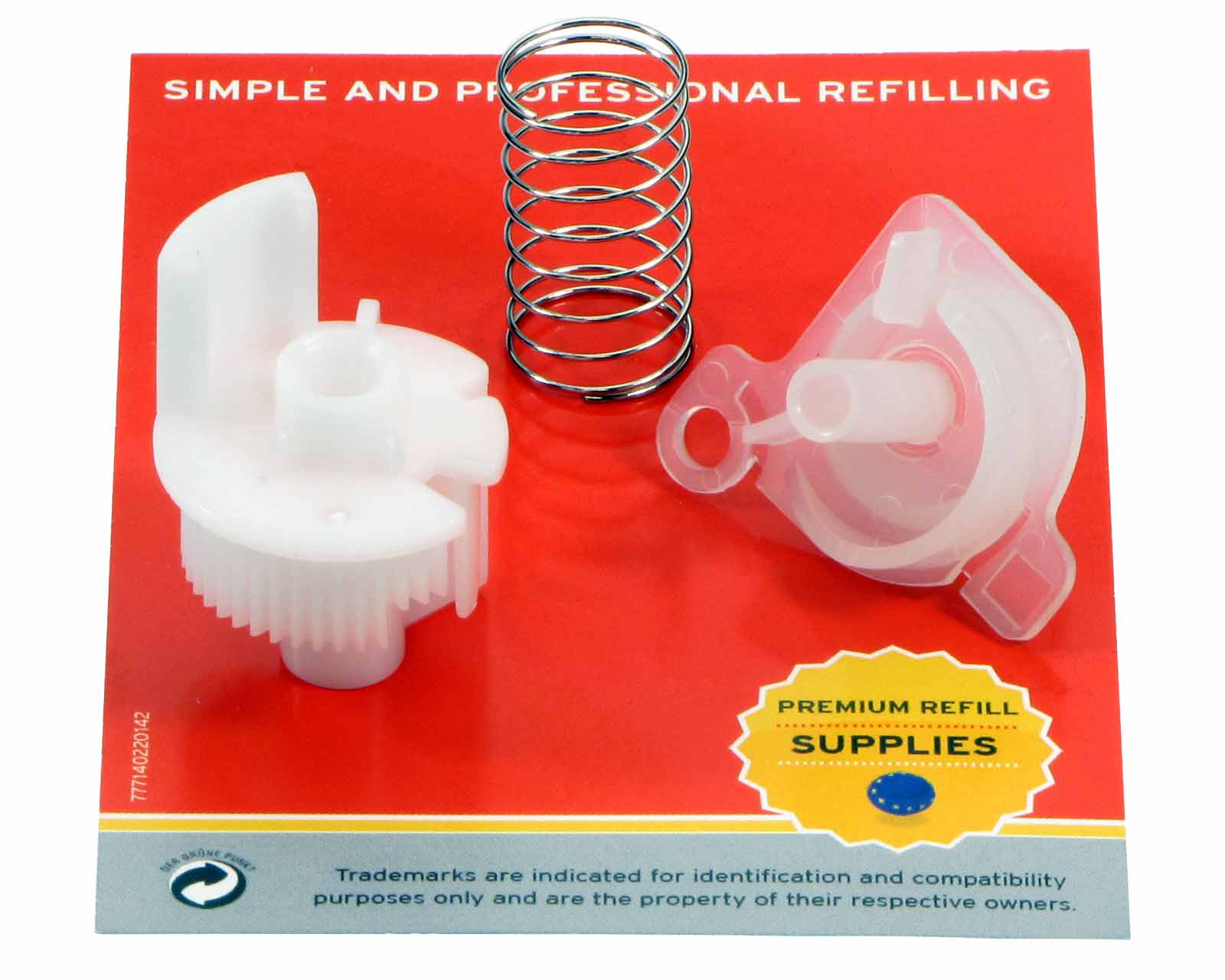 Reset lever compatible with Brother TN-2320, 2310, HL-L 2300, 2320, 2340, 2360