





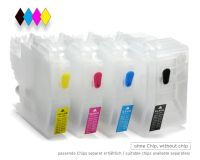
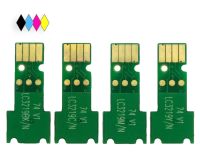
Refillable cartridges compatible with Brother LC-229, LC-225 with autoreset chip
 Manufacturer info
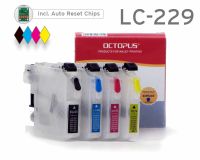





- Order number: RCBLC229
- EAN 4250797276508
- Refillable black cartridge for LC-229 BK (empty, without ink)
- Refillable cyan cartridge for LC-225 C (empty, without ink)
- Refillable magenta cartridge for LC-225 M (empty, without ink)
- Refillable yellow cartridge for LC-225 Y (empty, without ink)
Before purchasing, please check under the "Compatibility" tab that your printer model is included in the listing. If your printer is not listed, please select the appropriate cartridge set from our offer or contact our customer Service.
| Technology: | Inkjet printer |
| Brand compatibility: | For Brother |
| Product type: | Compatible |
Habe dieses Produkt schon...
Habe dieses Produkt schon länger ist in Ordnung
(Quelle: SHOPVOTE)
Easy to use
Working perfectly after removing black piece from back of cartridge in my MFC-5720DW with latest firmware.
Funktioniert an MFC-J5320 u. J5720
Habe diese Nachfüllpatronen gegen die Original-Einwegpatronen getauscht. Zuerst nur die Farbpatronen (gefüllt nur mit Reinigungsflüssigkeit), später auch die Schwarze mit schwarzer Nachfülltinte. Der Drucker hat die Patronen sofort erkannt und druckt problemfrei. Für mich eine gute Lösung, weil ich nur monochrom drucken will, es aber keine s/w-Tintenstrahldrucker mehr zu kaufen gibt.
Handhabung und Funktion gut.In der Anleitung sind leider Belüftungs- und Einfüllöffnung vertauscht!!!
Alles Bestens
Keinerlei Probleme
Alles OK.
Einwandfrei.
erkennen der patronen nicht ganz einfach aber mit hilfe von octopus in ordnung!!!!!!!!!!
in ordnung
gute Nachfüllpatronen mit Autoreset-Chip
Die neuen Fill-In-Patronen wurden, nachdem ich wie in der Beschreibung aufgezeigt den kleinen inneren Teil des schwarzen Clips herausgedrückt hatte, problemlos von dem Brother MFC-J5320DW erkannt. Die Befüllung der Patronen verlief einfach. Das Druckbild ist gut. Jetzt warte ich auf die erste Meldung, dass nachgefüllt werden soll. Dann Patrone raus, nachfüllen, Patrone rein. So soll es sein. Bei Problemen bekommt man schnell eine Antwort vom Service! Von mir eine Empfehlung für alles.
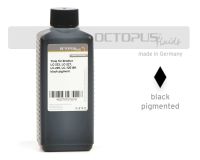 Refill ink comp. with Brother LC-223, LC-227, LC-229, LC-12E black pigmented
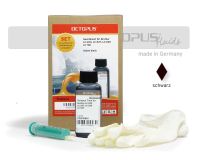 Refill kit for Brother LC-223, LC-227, LC-229, LC-12E black


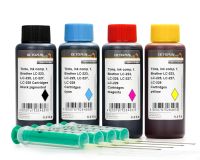 Ink comp. with Brother LC-223, LC-225, LC-227, LC-229, LC-12E
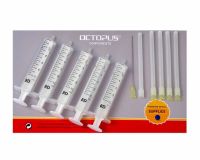 Ink comp. with Brother LC-223, LC-225, LC-227, LC-229, LC-12E
Refill ink comp. with Brother LC-223, LC-227, LC-229, LC-12E black pigmented
Ink comp. with Brother LC-223, LC-225, LC-227, LC-229, LC-12E
Refill ink comp. with Brother LC-223, LC-227, LC-229, LC-12E black pigmented
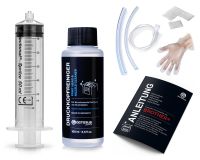 Nozzle Cleaner for Brother, Print Head Cleaner with extension
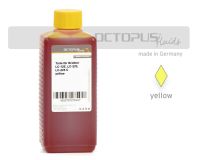 Refill ink comp. with Brother LC-223, LC-225 XL, LC-12E yellow
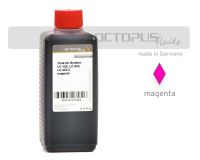 Refill ink comp. with Brother LC-223, LC-225 XL, LC-12E magenta
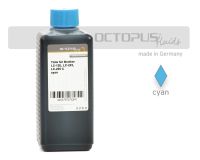 Refill ink comp. with Brother LC-223, LC-225 XL, LC-12E cyan
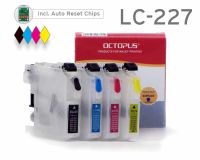
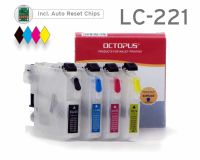
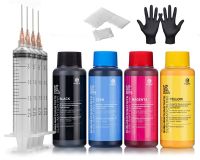 Sublimation ink for Epson, Brother, Roland, Mimaki, Mutoh, CMYK
 Refill kit comp. with Brother LC-223, 225, 227, 229 resetter, refill tool, 4x of ink
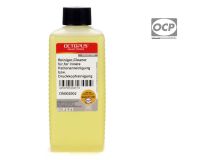 Cleaner RSL Rinse Solution for the Inside of Printer Cartridges
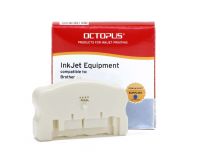
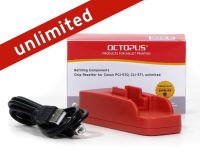
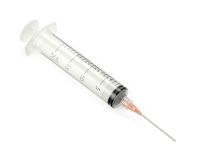
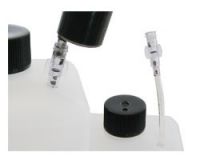
 4x Refill syringe 20 ml with blunt cannula, 2x nitrile gloves and 8x cellulose swabs
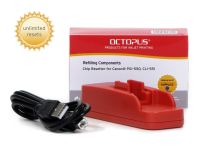


 OCTOPUS cleaning set, compressed air spray with hose and isopropanol spray 99.9%
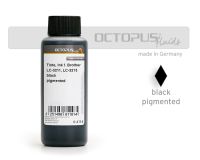 Refill ink comp. with Brother LC-3211 BK, LC-3213 BK black pigmented
 Octopus Fluids Alcohol Ink Complete Kit BLUMENKINDJEN with Blending Solution, Alcohol...
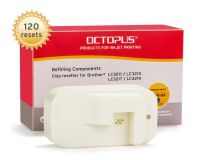 Chipresetter for Brother LC-3211, LC-3213, LC-3217, LC-3219 inkjet cartridges, for 120...


 Set of 4x 50ml UV fluorescence invisible ink for Epson and Brother print heads: white,...


 10 x 10 ml needle tip bottles for oils, dyes etc. with orange needle tip